AI Camera System
Overview
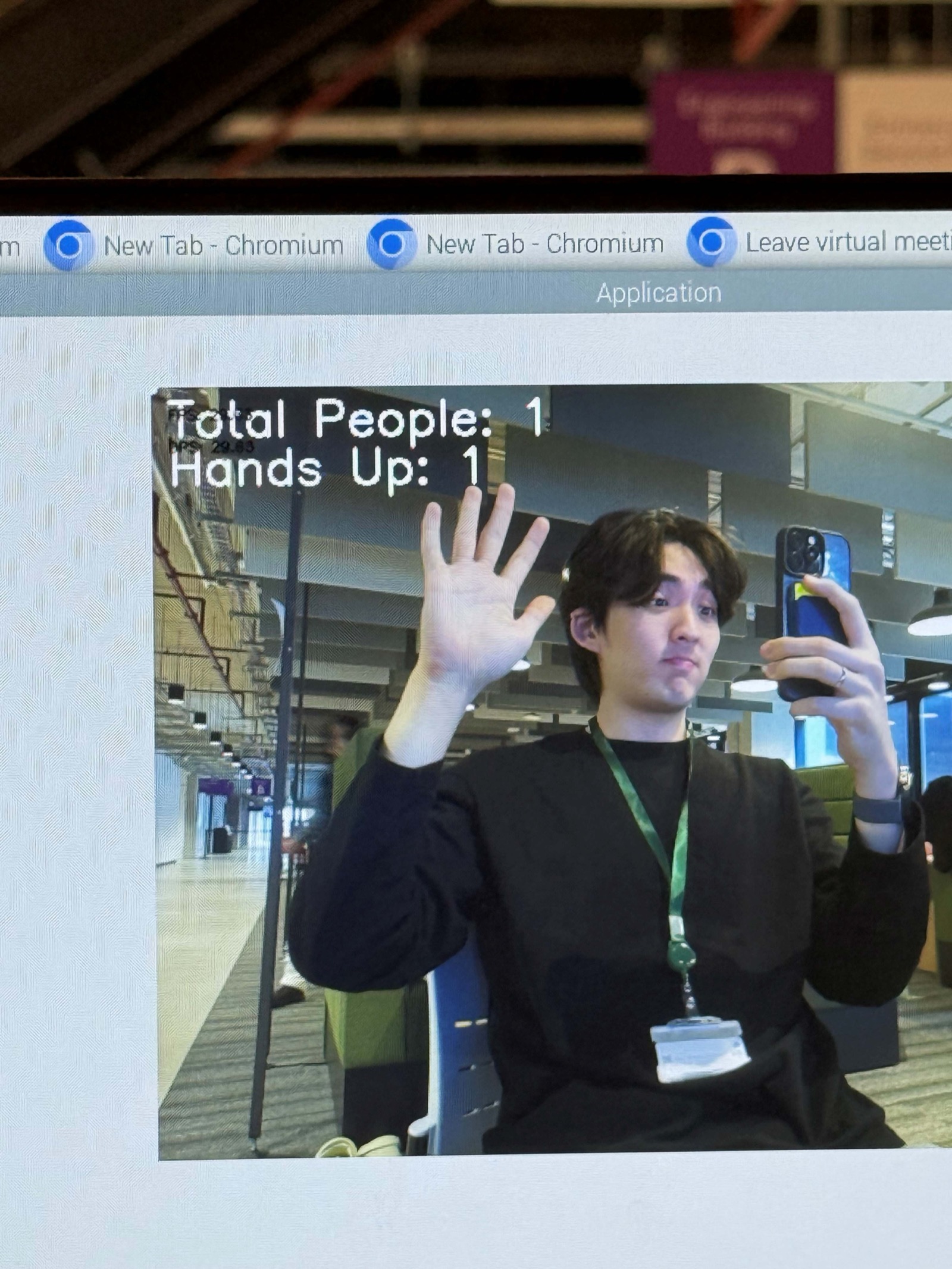
Conceptualised and built the system architecture for an AI-powered classroom assistant at Hack-A-Bot 2025, achieving 3rd place. I was the originator of the core concept: using pose estimation to simultaneously measure attendance and hand-raise behaviour — merging two previously separate manual tasks into one AI pipeline. I wrote the key conceptual skeleton of the code, handled final debugging, and resolved a critical compilation error with the Sony IMX500 AI Camera's pose-capture library interface. One teammate built the JSON/Flask web dashboard; another designed the CAD casing for the Pi and AI Camera.
Key Highlights
Gallery
The team at UoM Hackathon 2025 — built the AI classroom assistant in under 24 hours, achieved 3rd place
Deep Dive
The Concept — My Idea
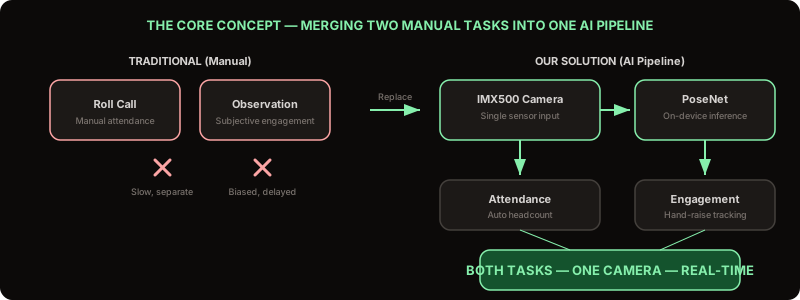
During brainstorming, I proposed using pose estimation to simultaneously measure attendance and hand-raise behaviour — merging two previously separate tasks into one AI pipeline. Traditional classrooms handle attendance via roll calls and engagement monitoring subjectively. Our system automates both in real-time through a single camera feed.
System Pipeline
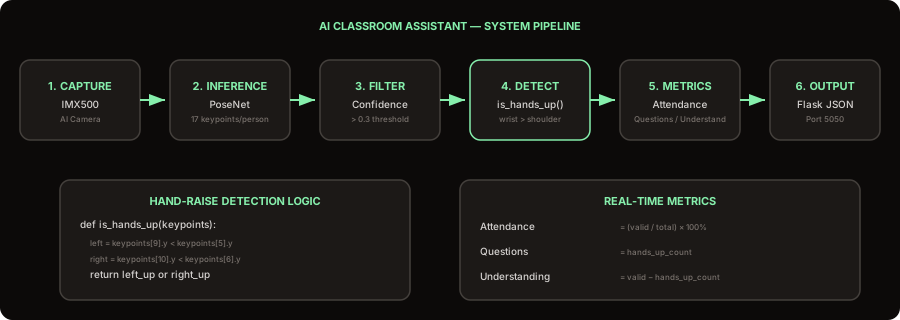
The system runs in six stages: the Sony IMX500 AI Camera captures live video with its on-board neural processor; PoseNet runs on-device inference to extract 17 body keypoints per person; a confidence filter (threshold > 0.3) removes partial detections; the hand-raise detector checks if wrist keypoints are above shoulder keypoints; metrics compute attendance percentage, question count, and understanding count; finally, a Flask JSON endpoint at port 5050 serves live data while the annotated frame displays skeleton overlays with green circles above students with raised hands.
Hand-Raise Detection Logic
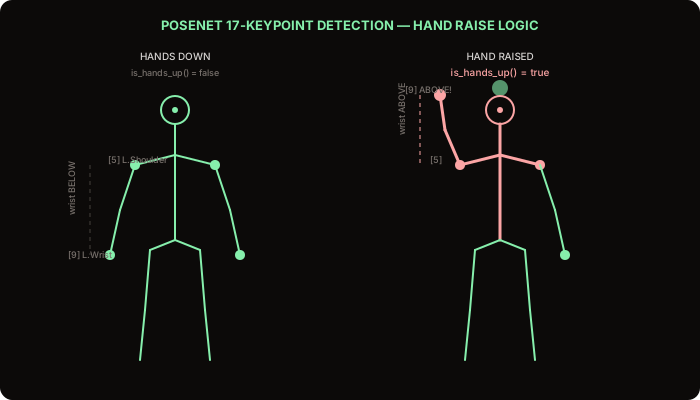
The detection is elegantly simple: PoseNet provides 17 keypoints per person, including wrist and shoulder positions. If either wrist keypoint is above its corresponding shoulder keypoint (lower Y coordinate in image space), the student is flagged as having their hand raised. A green circle is drawn above the head of detected students. This binary check runs at frame rate with negligible computational cost since the heavy lifting is done by PoseNet's on-device neural processor.
The Critical Bug Fix
There was a critical error preventing compilation — an issue with the Sony IMX500 AI Camera's pose-capture library interface. I found and resolved it, getting the final code running in time for the demo. This was the make-or-break moment of the hackathon — without the fix, we would have had no working demo.
Interactive Lab
Hand Detection — Classroom AI!
In 12 seconds, click all students with raised hands. After scanning, see your Precision (no false detections) and Recall (found all hands) — the same metrics the hackathon AI camera used.